Layo
Layo is a platform that lets businesses build, ship, and grow AI-powered apps across ChatGPT, Claude, Gemini, and beyond. MajiLabs delivered full-stack development for the core product, including the visual app builder, cross-platform deployment engine, and prompt analytics dashboard.
Category:
AI / SaaS
Development Time:
5 months
Technologies:
Next.js / Node.js / PostgreSQL / Redis / ClickHouse / Vercel / GCP / Docker / Sanity CMS / OpenAI API
Website:
uselayo.comAbout Layo
Layo is a platform that enables businesses to build, ship, and grow
their presence across AI-powered interfaces like ChatGPT, Claude, and
Gemini. As consumers increasingly turn to conversational AI to search,
compare, and make decisions, Layo provides the tools for brands to meet
them there — with custom apps that can be designed visually, wired with
live data, and deployed across multiple AI platforms simultaneously.
From a visual drag-and-drop app builder to a full code editor, Layo gives teams the flexibility to
From a visual drag-and-drop app builder to a full code editor, Layo gives teams the flexibility to
ship AI apps in days, not months
. Its prompt
analytics dashboard turns every user conversation into actionable
insight, revealing what customers are asking for and which interactions
drive revenue. With cross-platform sync and version control, Layo
accelerates experimentation while maintaining
reliability and performance at scale
— built
for businesses ready to treat AI as the new storefront.The Challenge
When the Layo team approached MajiLabs, they had a bold thesis:
The challenge was multifaceted. They needed a product that could:
AI is the new storefront
. Millions of consumers
were already using ChatGPT, Claude, and Gemini to discover products,
compare services, and make purchasing decisions — yet businesses had no
way to build a native presence inside these platforms.The challenge was multifaceted. They needed a product that could:
Democratize AI app development
Allow non-technical teams to build rich, interactive AI applications
through a visual drag-and-drop builder — while still giving developers
full code-level control when needed.
Deploy once, run everywhere
Abstract away the differences between ChatGPT, Claude, and Gemini so
that a single app definition could be deployed across all platforms
simultaneously — no platform-specific code required.
Turn conversations into insights
Build an analytics layer that captures every user interaction —
what prompts trigger app invocations, which tools drive engagement,
and how conversations convert to revenue.
Ship enterprise-grade infrastructure
Deliver SOC 2-ready security, team collaboration, role-based access,
audit logging, and 99.9% uptime — from day one. This wasn't a
prototype; it needed to be production-ready for paying customers.
Technical Architecture
We designed Layo as a
pnpm monorepo
with three
core packages: a Next.js frontend, a Hono.js backend, and a shared
library containing the compiler, runtime primitives, and type
definitions. This structure allowed us to move fast while keeping a
single source of truth for the component system that powers both the
editor and the deployed apps.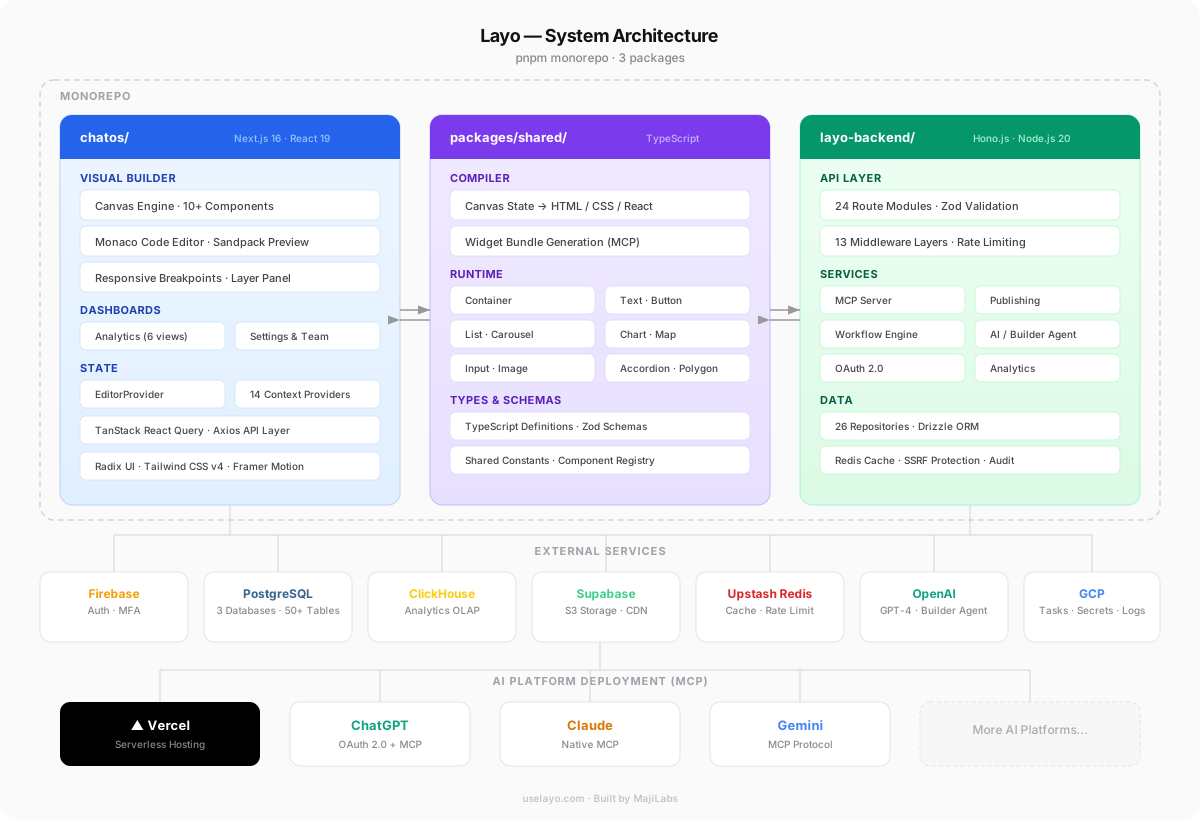
Monorepo Structure
The shared package is the backbone of the system. It exports the
component compiler that transforms the visual
canvas state into deployable HTML, CSS, and React — the same compiler
runs at build time to generate MCP widget bundles and at edit time to
power the live preview.
Runtime primitives (Container, Text, Button, List, Carousel, Chart, and more) are defined once and consumed by both the canvas renderer and the published app runtime. This guarantees pixel-perfect parity between what designers see in the editor and what end users experience inside ChatGPT or Claude.
Runtime primitives (Container, Text, Button, List, Carousel, Chart, and more) are defined once and consumed by both the canvas renderer and the published app runtime. This guarantees pixel-perfect parity between what designers see in the editor and what end users experience inside ChatGPT or Claude.
Frontend
Next.js 16
Backend
Hono.js on Vercel
Database
PostgreSQL (3 instances)
Analytics DB
ClickHouse
Auth
Firebase + MFA
Storage
Supabase S3
Cache
Upstash Redis
AI
OpenAI GPT-4
Infra
GCP + Vercel
Async Jobs
Google Cloud Tasks
Core Feature
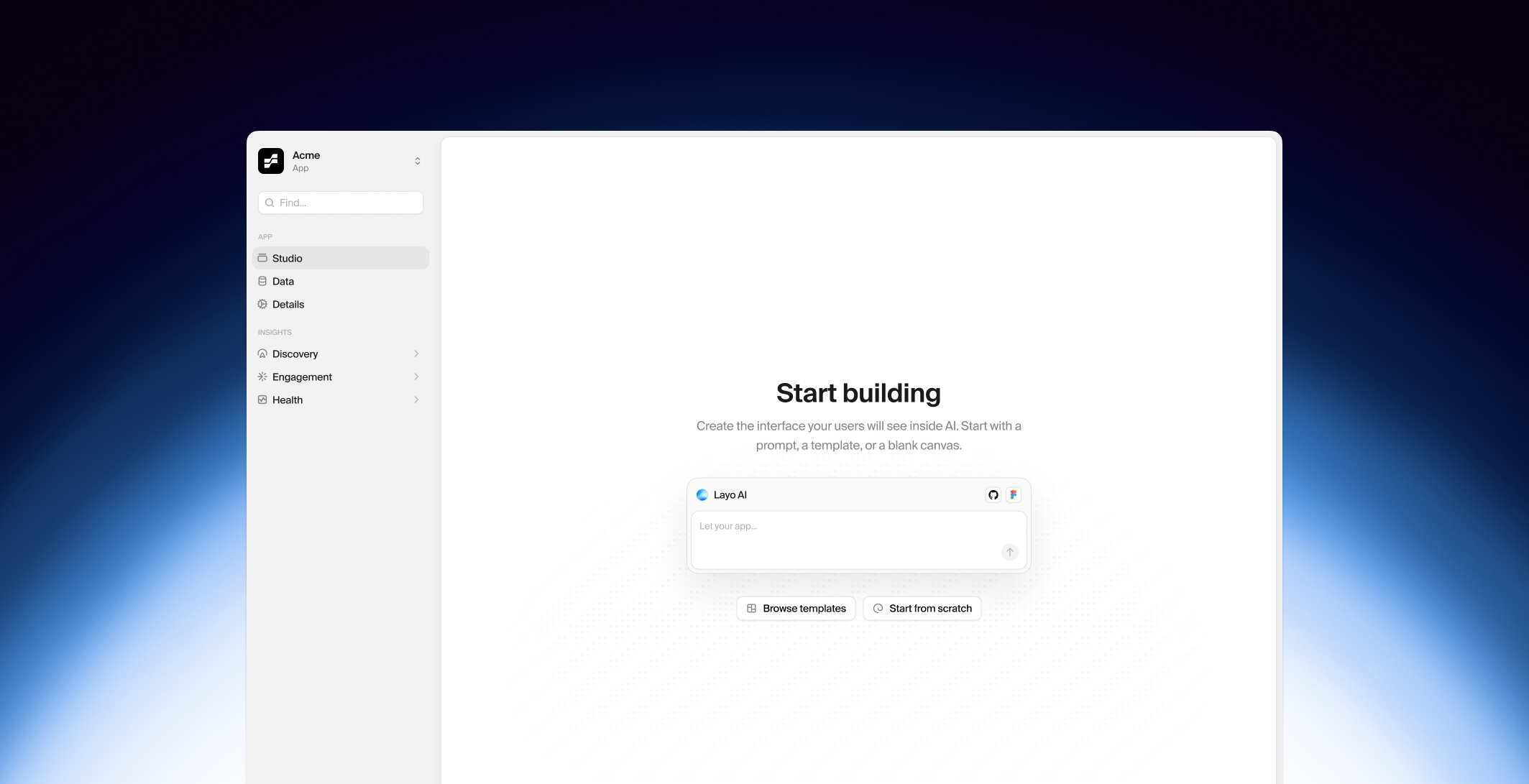
App Studio — The Visual Builder
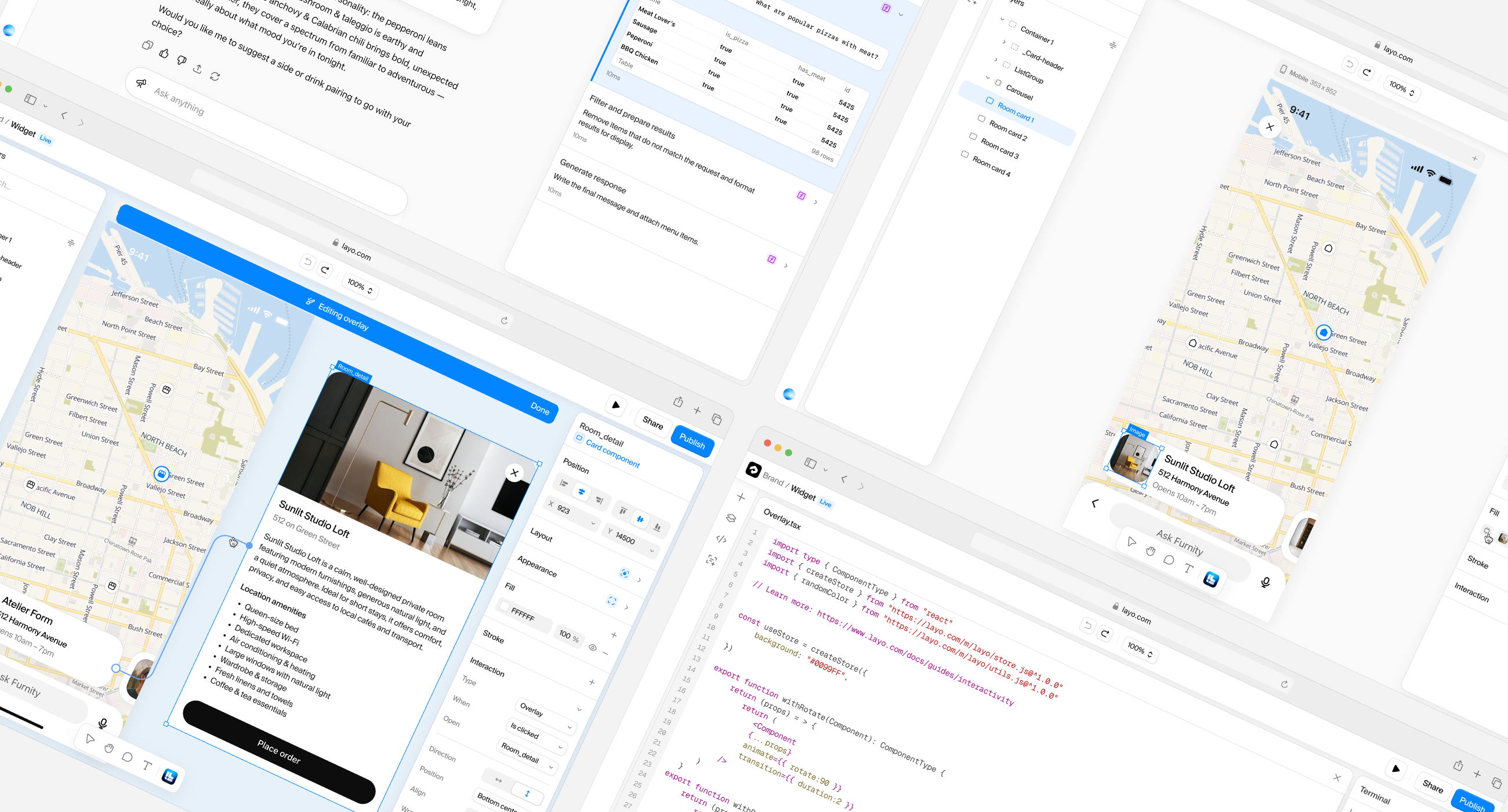
The heart of Layo is its visual app builder — a Figma-meets-VS-Code
experience that lets teams design, wire data, and publish AI apps
from a single workspace. We built it from scratch using React,
a custom canvas engine, and a
state management system
powered
by the reducer pattern with 100+ action types, full undo/redo history,
and 8 domain-specific sub-reducers.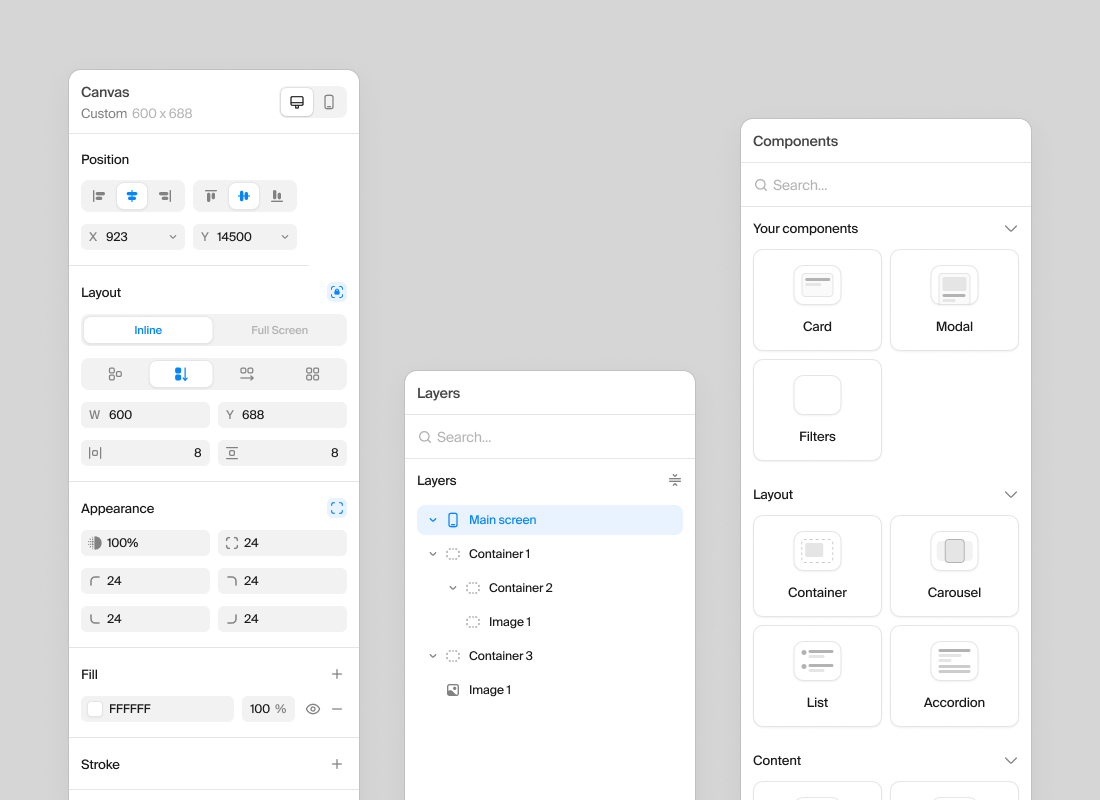
What We Built
Drag-and-Drop Canvas
10+ component types — Container, Text, Button, Image, Input, List,
Carousel, Accordion, Chart, Polygon, and Map. Supports flexbox, CSS
grid, and free-form absolute positioning with real-time snap guides
and distance indicators.
Responsive Breakpoints
A primary breakpoint acts as the source of truth, with custom
breakpoints for responsive overrides. Elements can be hidden per
breakpoint, and the system gracefully falls back when breakpoints
are deleted.
Integrated Code Editor
Monaco Editor with full JSX/React support, custom code components,
Babel client-side transpilation, and Sandpack-powered live preview.
Designers use the canvas; developers drop into code — same project,
same runtime.
Layer Management
Full layer hierarchy panel with multi-select, drag reorder, and
frame isolation. Hover states, inline editing, and component drops
are all scoped to the active frame to prevent cross-frame
interference.
AI Builder Agent
A GPT-4-powered assistant that can build UI from natural language
descriptions. It calls tools like
build_ui,
create_component, and write_code via
streaming SSE — up to 10 tool rounds per request.Data Connectors
REST API integration with OAuth2, CSV import with column detection,
and dynamic data binding to canvas components. Query builders let
teams wire live data into any component without writing code.
Core Feature
Cross-Platform Deployment Engine
The deployment engine is what makes Layo truly unique. We implemented
the
Model Context Protocol (MCP)
as the
universal transport layer — allowing a single app to be invoked by
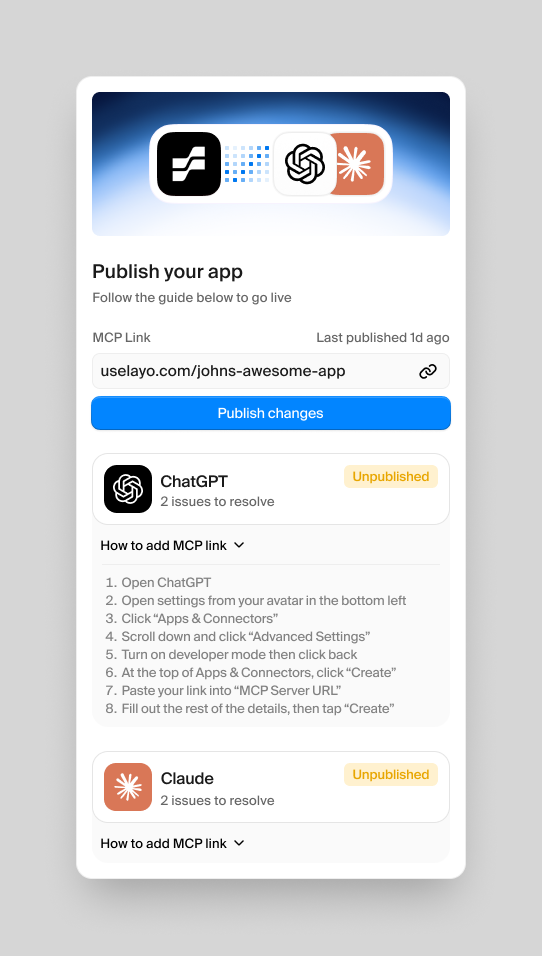
ChatGPT, Claude, and Gemini without any platform-specific code.How It Works
- User designs tools in the visual editor
- On publish, the system snapshots all tool definitions into an immutable app version
- The shared compiler generates widget HTML bundles from the canvas state
- Widgets are uploaded to Supabase Storage (CDN-backed)
- A dynamic MCP server is created for the app version
- Tools are registered with input/output JSON schemas
- AI platforms discover and invoke tools via MCP protocol
Core Feature
App Intelligence — Prompt Analytics
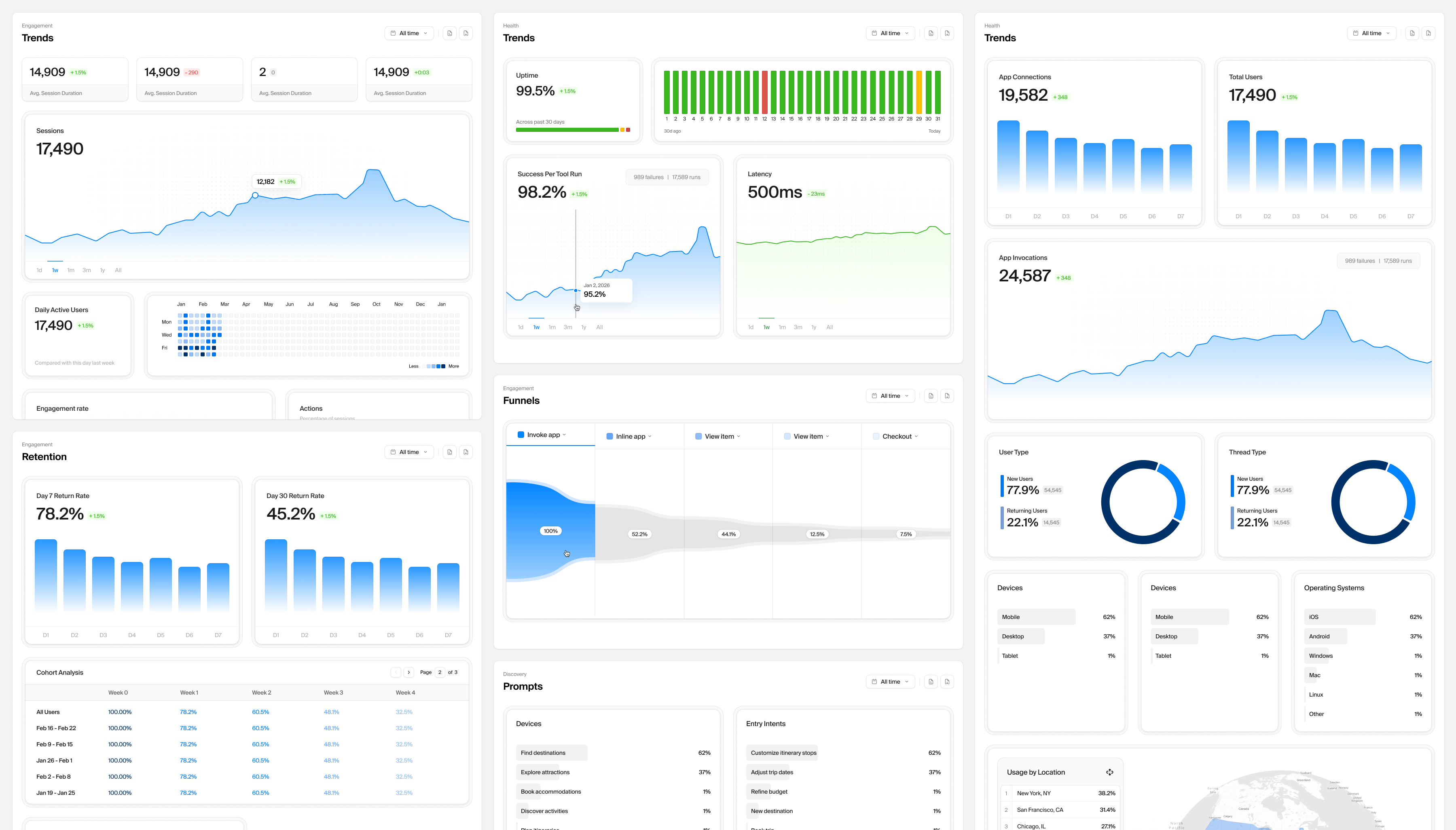
One of Layo's strongest differentiators is its analytics suite. We built
a full
ClickHouse-powered analytics pipeline
that captures every tool invocation, user session, and prompt interaction
— then surfaces it through six dedicated dashboard views.Engagement Trends
DAU, total sessions, average duration, new vs returning visitors — with period-over-period comparisons.
Retention Cohorts
Week-over-week retention heatmaps showing how well apps keep users coming back to the AI interface.
Funnel Analysis
Multi-step funnels tracking the journey from first prompt to tool invocation to conversion.
Prompt Intelligence
What users are asking for, which prompts trigger app invocations, and how prompt patterns evolve over time.
Invocation Stats
Per-tool execution metrics — success rates, latency distributions, error breakdowns, and input analysis.
System Health
Real-time uptime monitoring, API latency tracking, error logs with stack traces, and SLA compliance.
Want to work with us
We're always looking for exciting challenges. Share your vision and let's explore what's possible together.
